
For those who keep migrating back and forth between Hyper-V and Virtual Box (if you’ve ever needed to use Docker and the Android Emulator on the same machine, you know what I’m talking about), it’s very common to draw a blank and forget that one doesn’t work very well with the other, ending up having to do an unplanned machine restart because you forgot which of the two the machine was configured for (they told me this is common, never happened to me 🙄).
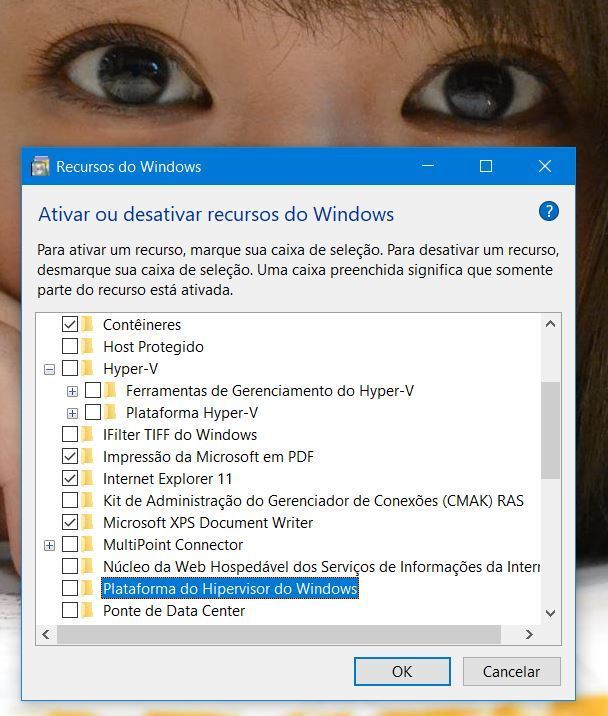
Takes off coat, puts on coat…
But what if this doesn’t solve it?
After a long time keeping Hyper-V configured and even using my Linux virtual machines on it, I decided to do some tests in Virtual Box and, to my surprise, the procedure didn’t solve my problem and every time I tried to activate the virtual machine in Virtual Box, the following error was presented:
“VT-x is not available (VERR_VMX_NO_VMX)”
But if this worked before, what the hell could be happening now to make it not work? It’s true that quite some time has passed, several Windows 10 updates have come, several configurations have been changed for various reasons, so it was quite difficult to find a culprit off the top of my head. But we’re not here to judge, we’re here to find culprits.
So, I tell you once and for all that the culprit is this guy here:
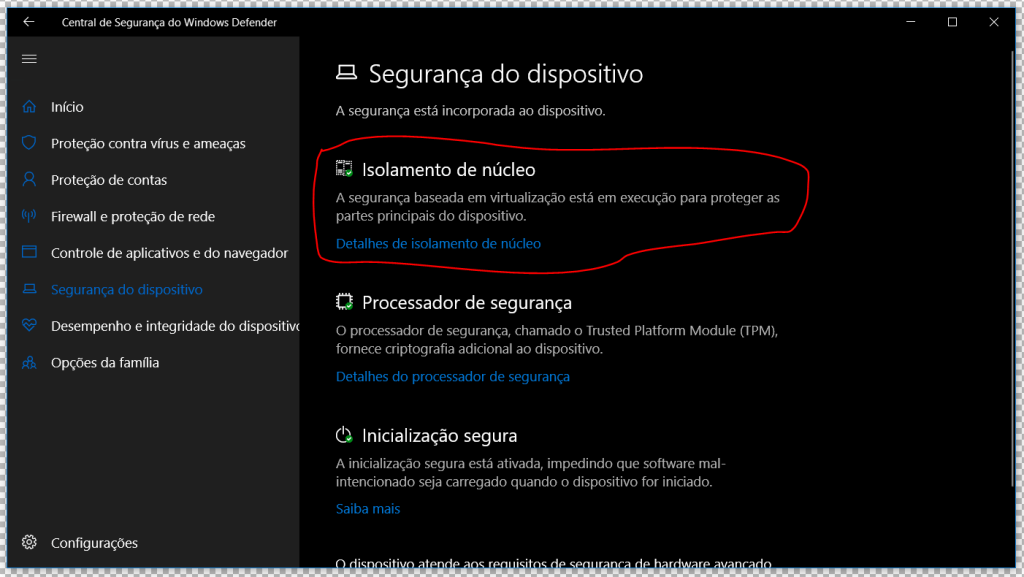
Security Center > Core Isolation
![Memory Integrity [ On ]](/artigo/resolvendo-o-erro-vt-x-is-not-available-do-virtual-box-no-windows-10/vtx-3.png)
Memory Integrity [ On ]
Just treat it as you would with Hyper-V and the Virtual Box virtualization will return to normal as it should never have stopped being.
Comments